Getting started with AFAS Pocket

On this page, you’ll find all the information you need to use the AFAS Pocket app. Explore the features below, watch the tutorial videos, and follow the step-by-step instructions. You can also download the help cards for more guidance. Have questions or need assistance? Contact your manager. 

Download-installeren

Download or install AFAS Pocket

Learn how to download and install the AFAS Pocket app on your phone or tablet.

Werkgever-toevoegen

Add Asito to your AFAS Pocket account

Learn how to add Asito as a new employer in the AFAS Pocket app.


Loonstrook-jaaropgave-bekijken

View your payslip or annual statement

Learn how to view your payslip, worked hours summary, payment dates, and annual statements as soon as they are available

Delaraties-indienen

Submitting a claim

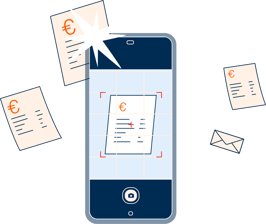
Learn how to easily take a photo of a receipt or upload one to submit expense claims.


Adres-aanpassen

Change your address

Learn how to update your address details in AFAS Pocket.

Telefoonnummer-aanpassen

Change your phone number

Learn how to update your phone number in AFAS Pocket.


Bankrekeningnummer-aanpassen

Change bank account number

Learn how to update your bank account number in AFAS Pocket.

Verlof-aanvragen

Requesting leave

Learn how to request leave in AFAS Pocket.


Verlofaanvraag-bekijken

Viewing your leave requests

Learn how to view your leave requests in AFAS Pocket.

Verlofsaldo_2

Checking your leave balance

Learn how to find your leave balance in AFAS Pocket.


Digitaal-ondertekenen

Digital Signing

Learn how to easily sign digitally in AFAS Pocket.

For questions and support

AFAS Pocket Helpline


Need help with AFAS Pocket? Call the AFAS Pocket Helpline 0800 - 0250025, specially available for cleaners or supervisors at Asito. The helpline is open Monday to Friday, from 07:00 to 18:00.

Asito_ProgrammaProcesIT_ConceptOnderwergNaarEenvoud_Medewerker-8

For questions and support

Help with AFAS Pocket

Do you need help with AFAS Pocket? Look at the frequently asked questions on our help page or ask your manager for help.

NB_Uitgelicht_Kennisbank-1
samen en schoon
Asito staand RGB