Already using AFAS Pocket with another employer? Easily add Asito to your AFAS Pocket account. Watch the video, follow the steps below or download the help card.
Step-by-step instructions
Add Asito to your AFAS Pocket account
Follow the steps below to add Asito to your AFAS Pocket account.
What do you need?
Mobile phone or tablet.
Access to your email.
Internet or Wi-Fi.
Step 1
Open the AFAS Pocket app.
Tap 'Settings'.
Step 2
Tap 'My profit environments'.
Tap the + button.
Step 3
A pop-up message will appear on your screen.
Tap 'Yes' to continue.
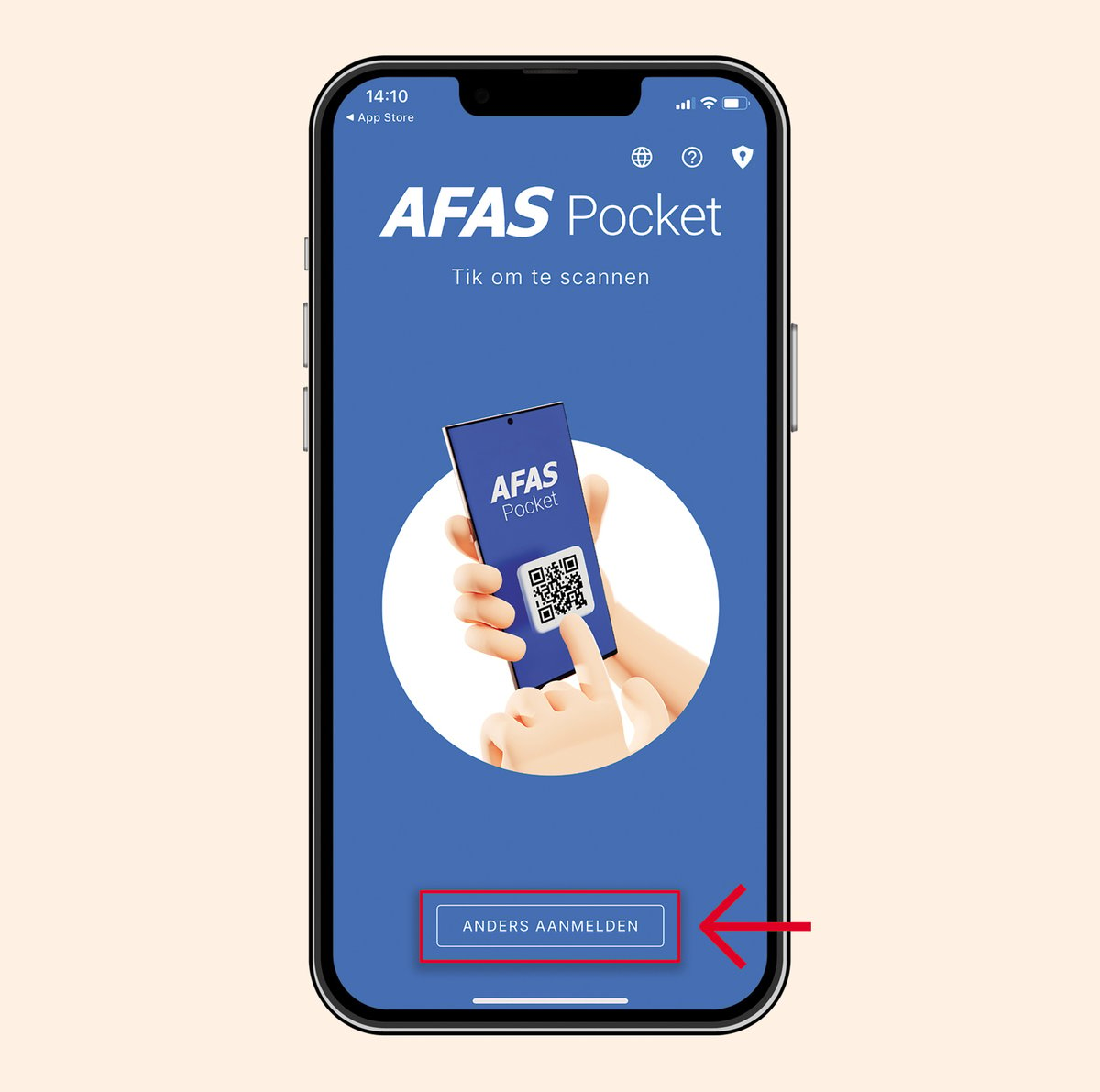
You will now see the blue AFAS Pocket screen.
Step 4
Tap the 'Sign in differently' button.
Open your email.
Look for the email from noreply@asito.nl. Note: This email might be in your spam or junk folder.
The email contains an 'environment key'.
Step 5
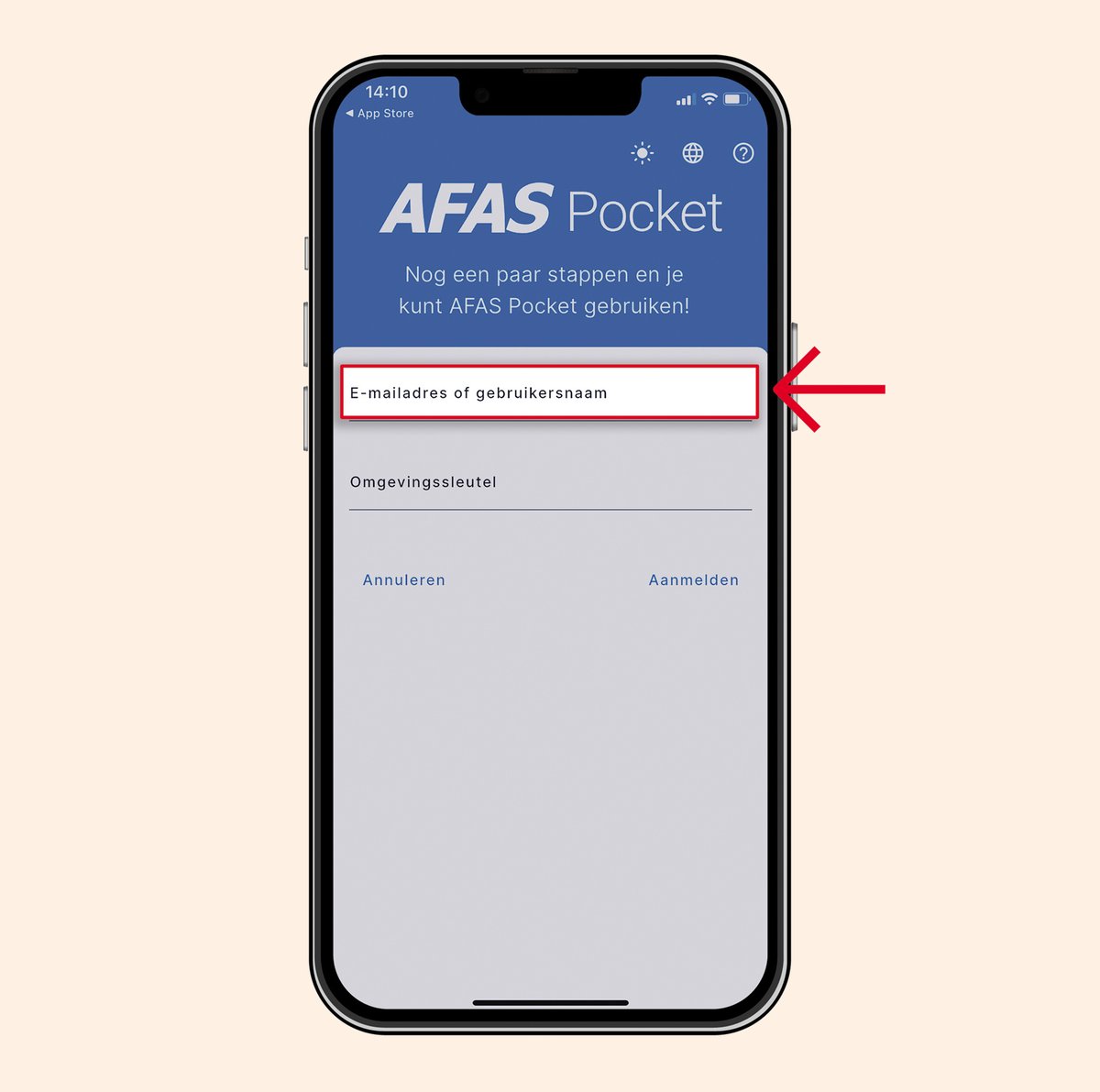
Enter your email address in the AFAS Pocket app where you received the email.
Enter the activation code WTZ2DX in the AFAS Pocket app or click on the code.
Step 6
Tap 'Sign in'.
You will receive a new email from Asito.
Open the email.
In this email, you will find the activation code.
Step 7
Enter the activation code in the AFAS Pocket app or click on the code.
Tap 'Activate'.
Step 8
If you see this screen, you have successfully logged in to the AFAS Pocket app.
Step 9
Tap the person icon in the top right corner of your screen.
You will see a list of employers.
Click on the employer you want to switch to.
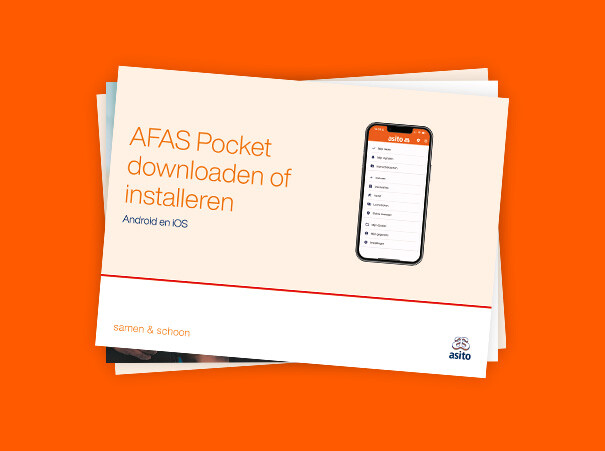
Help card
Add Asito to your AFAS Pocket account
Would you like to save these steps digitally or in print? Download the Dutch help card as a PDF here.
Need help with AFAS Pocket? Call the AFAS Pocket Helpline 0800 - 0250025, specially available for cleaners or supervisors at Asito. The helpline is open Monday to Friday, from 07:00 to 18:00.